

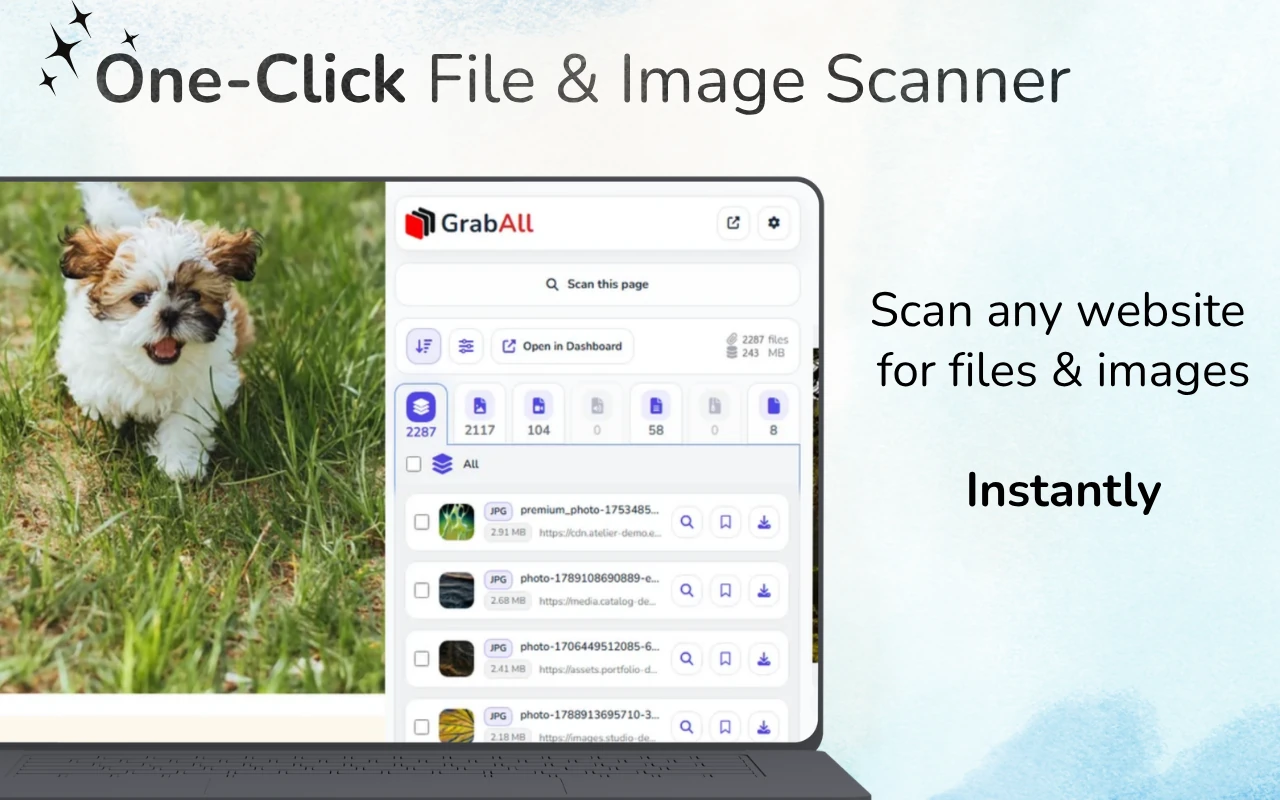
Quick answer: Open the webpage, load the relevant content and scan it with GrabAll. Filter detected files by type or size, check previews and filenames, then save or copy the selected links. Some resources appear only after a page interaction.
Look for file links in the loaded page
Download buttons, document lists, image cards and media elements can all expose files. Start by loading the section containing the resources, then scan and review the results. A scanner can only list resources the page makes available to the browser.
What counts as a downloadable file
A downloadable file can be a linked document, an image source, a media element, an archive, a spreadsheet, or another public asset referenced by the page. The browser must know enough about the resource to request or display it.
File discovery does not mean server exploration. GrabAll works with the current page and supplied URLs, not with private directories or unlisted server contents.
- Anchor links to documents and archives
- Image src, srcset, and lazy-load attributes
- Video, audio, poster, and source elements
- Public file URLs present in page text or data attributes
A structured discovery process
Scan the most relevant page first. Group results by type, then inspect the file extensions, MIME hints, dimensions, sizes, and source domains. Use previews where available.
If the page is dynamic, allow the relevant section to load before scanning. Avoid scrolling through unrelated areas because that can add recommendations and navigation assets to the result set.
- Choose a specific page
- Load the content relevant to the task
- Scan and group results by type
- Filter, preview, and select the useful files
URLs without obvious extensions
Some downloads use routes such as /download?id=123 instead of filenames ending in .pdf or .zip. These links can be harder to classify before the server responds. Page labels, response headers, and the browser download behavior may provide more information.
Do not assume every long URL is a file. Tracking, navigation, and API links can look similar.
When scanning is better than viewing source
Viewing HTML source can help technical users, but modern pages frequently add content after the initial document loads. A browser extension can inspect the rendered context and present results in a review-oriented interface.
For pasted HTML or offline source, use the free Bulk File URL Extractor. For the live page, use GrabAll so you can combine discovery with previews and download selection.
Set realistic expectations
Files behind authentication, generated after protected API calls, stored in private systems, or delivered through DRM are outside a normal page scanner's scope. Respect access rules and use official download controls where provided.
The best results come from pages that deliberately expose resource links, galleries, attachments, documents, or ordinary media files.
Frequently asked questions
Can GrabAll find files that are not linked on the page?
No. It organizes resources and links available to the browser; it does not search private server directories or reveal unexposed files.
Should I scan the homepage or a specific page?
Use the most specific page possible. It produces fewer unrelated assets and cleaner results.
What if a URL has no file extension?
It may still produce a download, but classification is less reliable until the server responds. Review the page label and use the official control when uncertain.
Can I extract links from copied HTML instead?
Yes. GrabAll provides a free Bulk File URL Extractor for pasted HTML, source code, and text.
GrabAll scans the page and brings images, documents, media, and other downloadable files into one clear list, so you can choose exactly what to save.